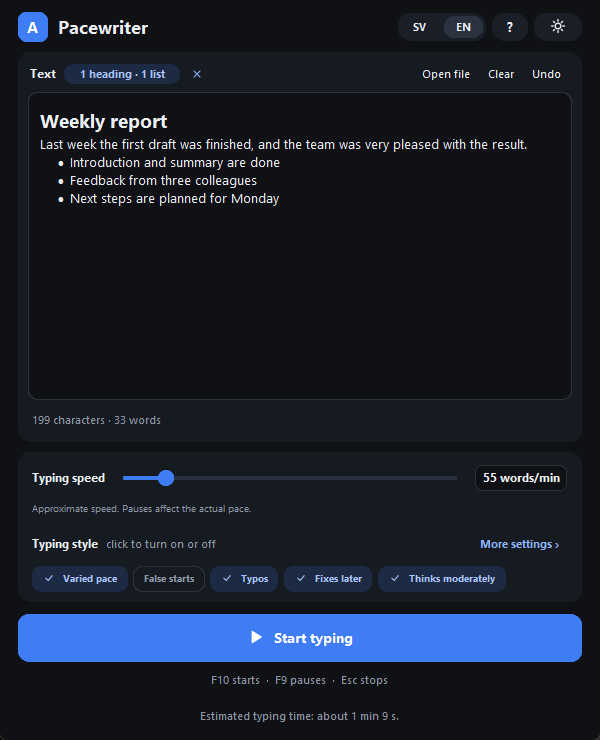
Paste. Choose a pace. Start.
Everything is in one window: your text with its formatting, the speed and five typing styles you turn on or off with a click.
Pacewriter types your own text, character by character – with varied pacing, pauses and small typos that get corrected. Made for Google Docs and Word, where formatting comes along too. No AI. Nothing is rewritten.
Free during the beta. Then €4.99 every 2 months or €24.99 once. Windows and Mac.

Simplified illustration. The document window is a neutral example, not a particular program.
Real pictures from the program. This is how it is used.
Everything is in one window: your text with its formatting, the speed and five typing styles you turn on or off with a click.
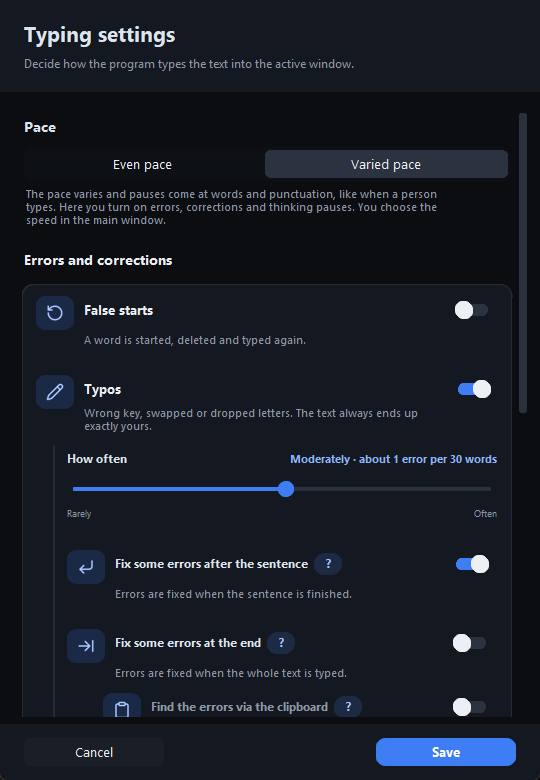
Choose how often mistakes happen and when they are fixed: right away, after the sentence or at the end. The end result is always exactly your text.
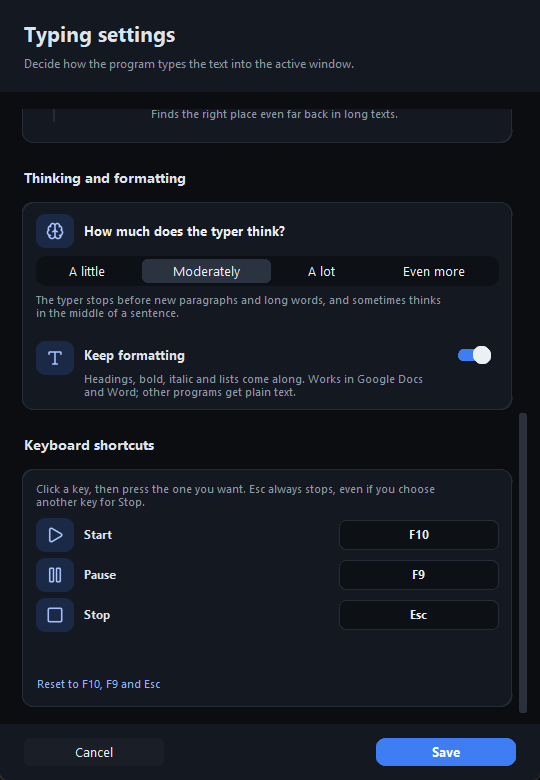
A little, moderately or a lot: pauses before new paragraphs and long words. Headings, bold and lists come along to Google Docs and Word.
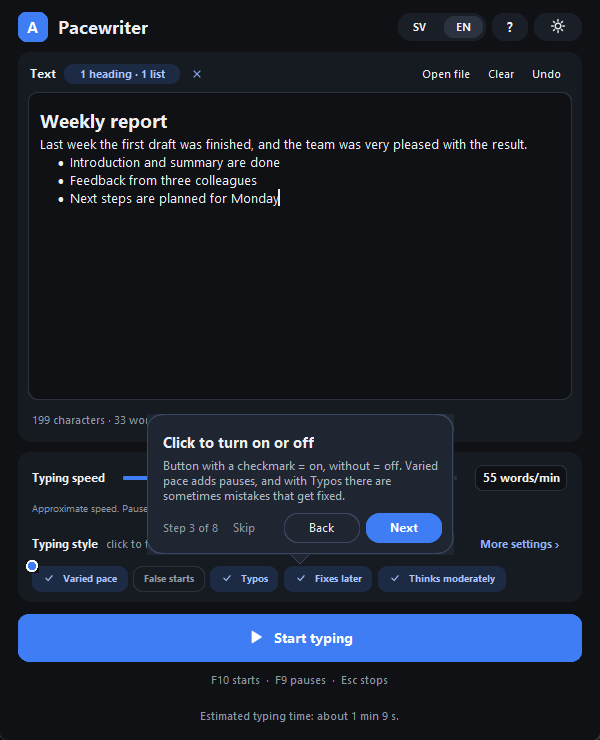
The first time, a short tour shows where everything is, with an explanation at each button. You can start it again any time.
Formatting – headings, bold, italic, underline and lists – comes along when you type into Google Docs and Word in the browser.
In other programs the text is typed as plain text. We have not tested every program and promise nothing there.
You give it your text. It types exactly that text, with a rhythm and small mistakes that resemble a person’s typing.
The rhythm varies. There are pauses at words and punctuation and short bursts of faster typing. You set the approximate speed in words per minute.
Wrong key, swapped letters, dropped or doubled letters, a forgotten capital. Fixed right away, after the sentence or at the end – you choose. The final result is always exactly your text.
It stops before new paragraphs, pauses mid-sentence, and sometimes starts a word, deletes it and types it again. A little, moderate or a lot.
Headings, bold, italic, underline and lists are typed into Google Docs and Word in the browser. In other programs the text is typed as plain text.
The program is in English and Swedish. The typos follow the language of your text and your keyboard, and English text also gets mistakes like their/there, your/you’re and forgotten apostrophes.
The program never rewrites, improves or invents text, and uses no AI. Your text is not sent anywhere – it is typed locally on your computer.
This is what you get when you buy Pacewriter. Everything is in the same program, with no add-ons. The subscription and the lifetime license give the same features.
With sliders and buttons in the program.
Nothing you need to set up.
Paste it or open a .txt, .md or .docx file. Formatting comes along.
Set the pace and whether you want typos, corrections and thinking pauses. Or keep the defaults.
Press the start button or the hotkey. Pause and stop whenever you like.
Right now Pacewriter is free during the beta, with no payment and no account. When the beta ends, you choose how you want to pay.
Buying opens when the beta ends. Testing the beta? Write to [email protected] and you get a free lifetime license as a thank-you when buying opens.
Both give the same program with every feature, for Windows and Mac, on up to 2 of your computers.
Payment is handled by our payment partner, who also takes care of tax and your receipt. We never see your card details. The final price including tax is shown at checkout before you pay. The subscription renews until you cancel it.
The beta version is free and works until 28 February 2027. It needs the internet about once a week to check that the beta is open.
Zip file, 19 MB. Unzip and start Pacewriter.exe.
Version 4.43 · last updated 28 November 2026
The program is not code-signed yet. Your computer may show a warning the first time you open it – see the FAQ below.
Can’t find the answer? Write to [email protected].
No. The program never rewrites, improves or invents text. It types exactly the text you give it, with typing rhythm, pauses and corrections that resemble a person’s.
An auto typer is a program that types a text for you, character by character, into another program. Pacewriter does it at a natural pace, with pauses and small typos that get corrected. You paste your own text and choose how it is typed. The program uses no AI and never rewrites the text.
The program is made for Google Docs and Word, where formatting (headings, bold, italic, lists) comes along too. In other programs the text is typed as plain text, but we have not tested every program and promise nothing there. Tested so far: Google Docs and Word in the browser. The Word app has not been tested yet.
No. The text is typed locally on your computer. During the beta the program only downloads a small file from pacewriter.com to check that the beta is open. Your text is never sent.
The beta version stops typing on 28 February 2027 at the latest, or earlier if the beta is closed. Then you download the new version and choose a subscription or a lifetime license. Write to [email protected] while you test the beta and you get a free lifetime license as a thank-you.
One license covers up to 2 computers. You can move it to a new computer by deactivating the old one.
The program and its features are the same. The subscription costs €4.99 every 2 months and renews automatically until you cancel it. The lifetime license costs €24.99 once and does not renew. After 6 subscription periods (12 months) the lifetime license has become cheaper.
You cancel any time with our payment partner, using the link in your receipt or in your account there. After that you pay for no more periods.
The program is not digitally signed yet, so Windows (SmartScreen) and Mac (Gatekeeper) may warn you the first time. We show step by step how to open it anyway. Signing comes when sales justify the cost.
You are responsible for how you use the program and for following the rules where you write, for example at school, at work or on a service. The program is a tool for typing in your own text.
Yes. In Typing settings you pick your own keys for Start, Pause and Stop. Esc always stops, so you can never lock yourself out.
Read our refund policy. Contact us at [email protected] if something does not work.